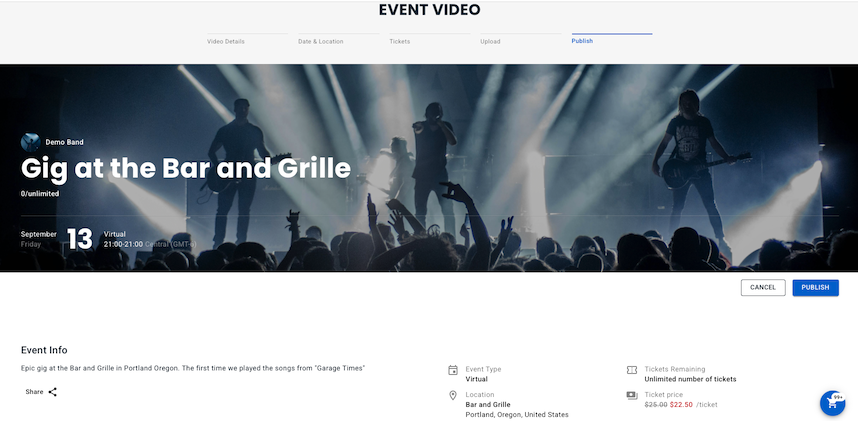
On vyb, you can upload and sell videos that you have previously recorded. Your recordings of old performances are a great way to give your fans more – they want to buy from you. Maybe you had a really hot show last fall or you have early band videos. Maybe you want to sell instructional videos to your following. Here at vyb we can help do do all of that!
For your Super Fans, consider selling this only to All-Access Community Members. That way, you encourage and reward your most loyal fans. You can also open it up to everyone, but give your All-Access Members a discount.
Your videos are encrypted and can’t be downloaded. Fans can only purchase and watch them by going to vyb.
Ensure you have the rights to any video before you upload it, we don’t want to have to pull it down!!
Below are the steps to uploading your videos to sell on vyb:
Step 1
Uploaded videos are going to show in your Events Library.
Click “My Dashboard”, “My Created Videos”
Click “Upload Event Video”
Step 2
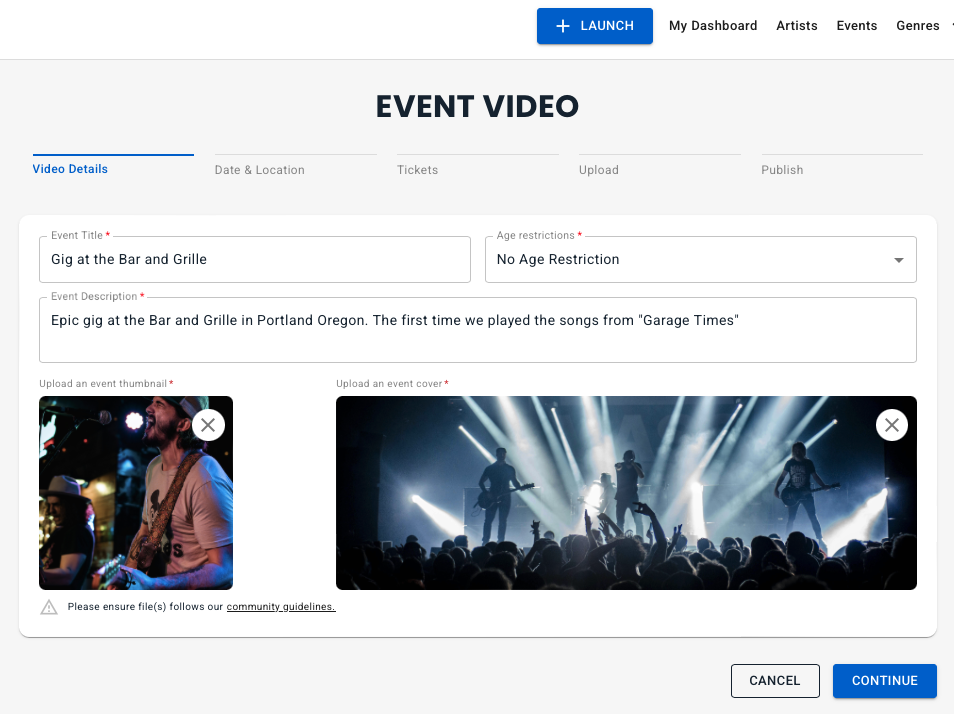
Edit the Title and Event Description. Make them descriptive and fun to give your fans a reason to buy.
Add a thumbnail and cover image
Step 3
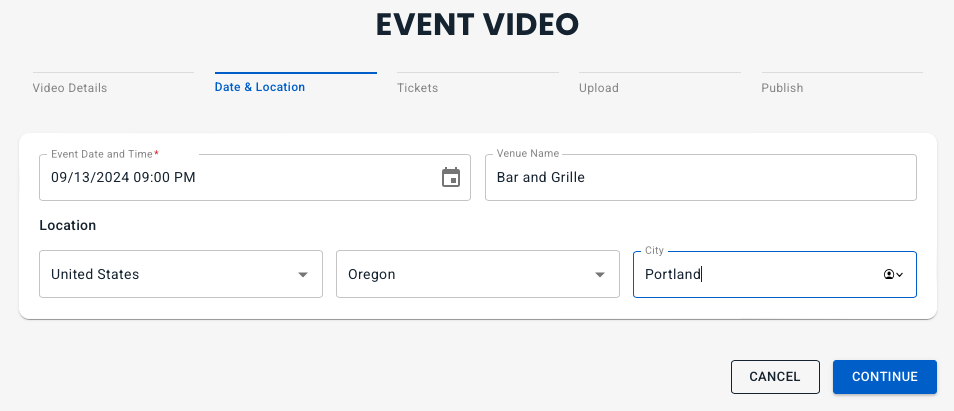
Edit in the date and time when the video was recorded.
Add the name of the venue and the Country, State and City
Step 4
Set the ticket pricing.
You can choose to make it exclusive for All-Access or open to anyone.
Choose the number of people who can buy the video, either unlimited or make it selective.
Set the pricing option. Free is only allowed for All-Access. Minimum Price option lets your fans pay more, like a built in tip.
Set the pricing and the if your Audience is For Everyone, set the subscriber discount
Step 5
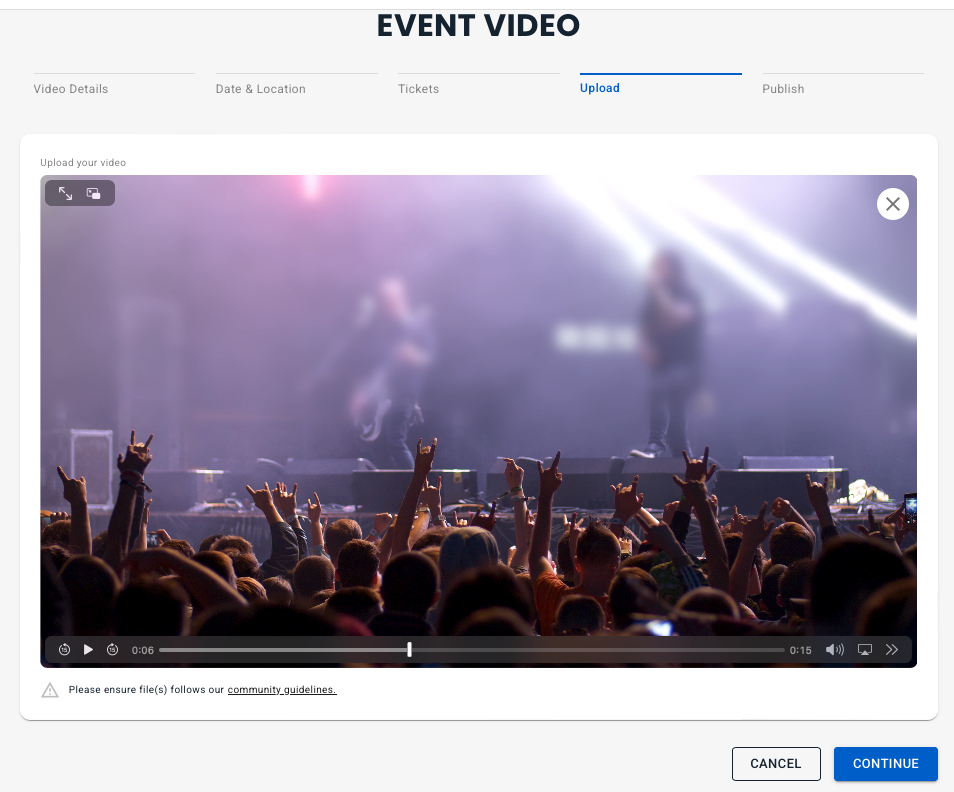
Now you can upload your video
After you have uploaded it, you can watch the video using the video controls to skip through and check the quality and audio.
Step 6
Now do a final check of the pricing and access, then hit Publish.
Once you’ve hit publish, your event is available to be purchased by your fans.
On vyb, you can build and nurture your fan base by directly connecting with you Fans and Super Fans through exclusive content and unique experiences.
Understanding your Audience
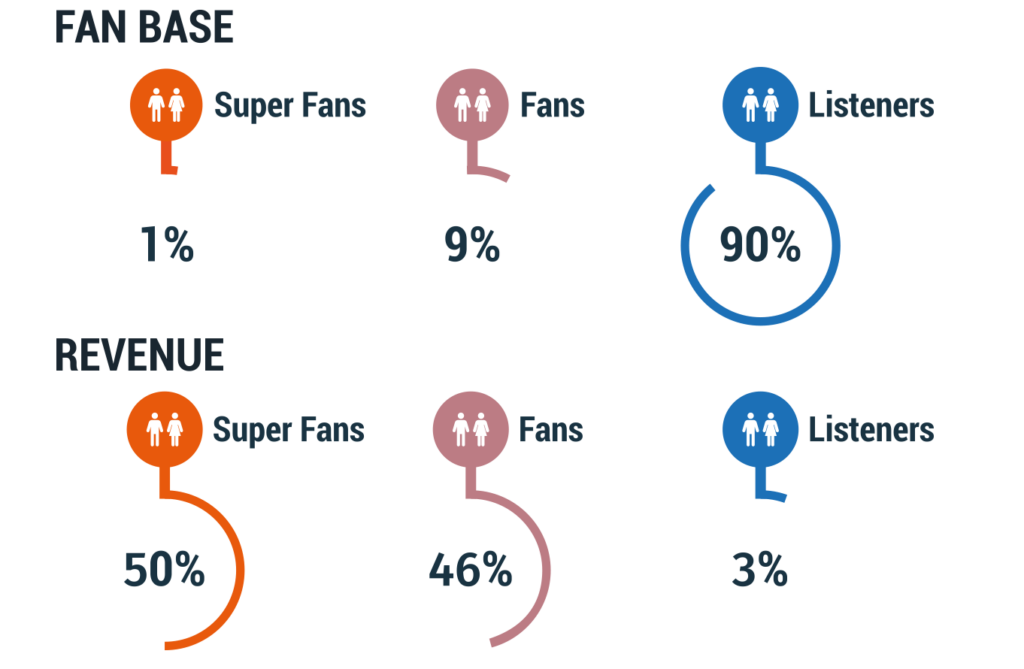
Your Audience is made up of three main categories: Listeners, Fans and Super Fans. It seems crazy, but there is a stark difference between these three and the smallest number of Super Fans really drive your income.
Super Fans – always buys a concert ticket, always buys the merch.
Less than 1% of your Audience
Over 50% of your income
Fans – buys music, a concert ticket or merch once in awhile
Approximately 9% of your Audience
A little over 46% of your income
Listeners – casual fans that might hear you on streaming services or see you on social media
Over 90% of your Audience
Around 3% of your income
1% of your fan base provides HALF your income
Very importantly, because those Super Fans are your main drivers, you want to really nurture them. Think of how you give them special content and exclusives. They want the behind the scenes stuff, the raw unfinished song, the setup for the big show.
Audience Types in vyb
In vyb we have three types in your audience
All-Access: these pay a monthly fee to get exclusives and discounts. For you, they provide regular income and a very targeted list to market everything new you do. You want to get your Super Fans signed up as Subscribers.
Members: These fans have indicated they want to be kept up to date with what you are doing. When you add people to your email list on vyb they are automatically signed up as Followers.
Supporters: These are fans who have purchased from you, showing their support, but they haven’t yet joined your community.
Fans: people who haven’t joined your Community yet, but are on the platform. These people can still buy merch, they can still buy tickets. We want to convert these fans to Members and All-Access.
All-Access Member Exclusives
Here is a list of some of the things you can do for your All-Access Members:
Music
Free albums – you can give your All-Access members free or discounted music.
Events
Discounted Event Tickets – automatically we’ll apply the All-Access discount that’s in your profile, but you can also manually set that to an even higher level.
All-Access-only events – here are some example ideas
Set up a virtual event that is only available for Subscribers
Set up a meet and greet event only available for Subscribers
All-Access-only event tiers
For example, make the VIP seating event tier only available to subscribers.
To learn how to do these features for your subscribers, see Setting up Events
Video purchases
In vyb you can upload and sell videos. When you do, you can make the purchase exclusive to All-Access members.
Discounts on Merch. All-Access members automatically get the discount you set in your profile
All-Access exclusive merch. You can set up a group of merch, called a Collection, to be exclusive to All-Access. To learn how to do this, see Merch Collections
GoLive
GoLives are quick videos that you can take, think behind the scenes content.
By using these tools and putting some things for all your audience, some for Members, and some only for All-Access, you will excite your Fans and Super Fans. True Fans love exclusives. They want to be in the in-club. make sure you are nurturing them and you will increase your success.